11
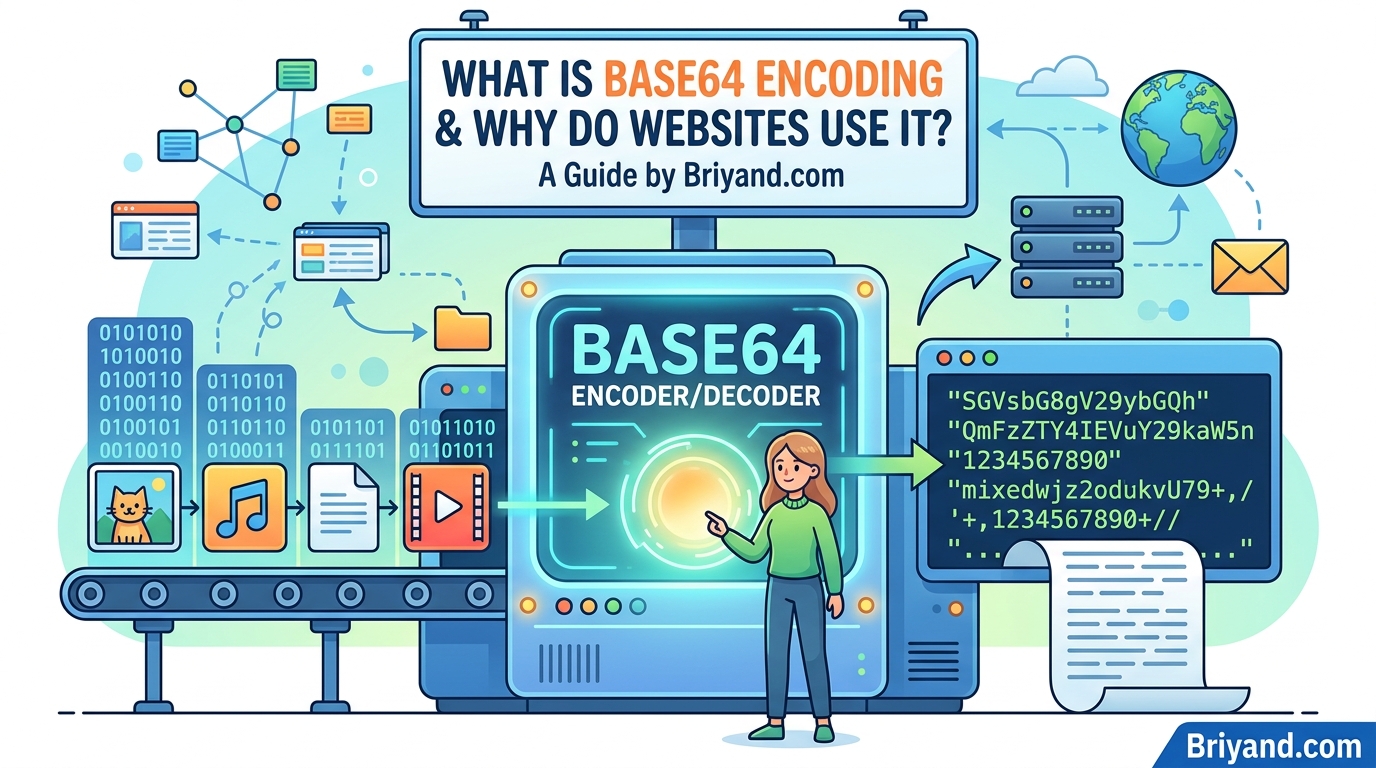
What Is Base64 Encoding and Why Do Websites Use It?
Ever seen a wall of random letters in a URL or API response and wondered what it is? A developer breaks down Base64 encoding in plain English — what it does, why websites use it, and the mistakes you don't want to make.
What Is Base64 Encoding and Why Do Websites Use It?
By a developer who once spent three hours debugging an image upload bug — and came out the other side actually understanding this stuff.
I remember the exact moment Base64 encoding stopped being "that weird string thing" and became something I genuinely understood.
It was a Tuesday afternoon. I was building a small web app that let users upload a profile photo, and I kept getting this nightmare of garbled data every time I tried to send the image from the browser to my backend. The image preview on the frontend looked fine. But the moment it hit my Node.js server, it was either completely broken or throwing errors I'd never seen before.
After digging through Stack Overflow, a couple of GitHub issues, and one YouTube tutorial that was more confusing than helpful, I landed on the real answer: I wasn't Base64 encoding the image before sending it. And once I did, everything just... worked.
That experience kicked off a proper rabbit hole. I spent the next few hours reading about what Base64 actually is, why it exists, and where it shows up across the web. If you've ever seen a massive wall of random-looking letters and numbers in a URL, an HTML file, or an API response — yeah, that's probably Base64. And it's way more interesting than it looks.
Why This Exists At All (The Problem It Solves)
Before we get into the how, let's talk about the why — because Base64 encoding doesn't exist for fun. It exists because computers have a fundamental mismatch problem.
Here's the thing: computers store everything as binary data — just zeros and ones. Text, images, audio files, PDF documents — it's all binary underneath. But different systems have different ideas about how to interpret that binary data.
The old internet was built on systems that really only knew how to deal with plain text. Email protocols like SMTP, for example, were originally designed to handle ASCII text — basically the letters, numbers, and symbols you see on a typical keyboard. If you tried to shove a raw image file (which contains all kinds of byte values, including ones that look like control characters or null bytes) through those systems, you'd get corruption, truncation, or straight-up failure.
Base64 is the bridge. It takes any binary data — no matter how messy or "non-text-friendly" it is — and represents it using only 64 safe, printable ASCII characters. Those 64 characters are:
- A–Z (26 uppercase letters)
- a–z (26 lowercase letters)
- 0–9 (10 digits)
- + and / (two symbols)
And sometimes = signs at the end for padding. That's it. Nothing exotic, nothing that'll confuse an old protocol or a basic text system.
The trade-off is size. Base64 encoding makes data about 33% larger. A 3MB image becomes roughly a 4MB Base64 string. That's the tax you pay for guaranteed safe transmission.
Okay But What Does It Actually Do?
Let me break it down simply without going full computer science lecture on you.
Take any binary data. Group the bytes into chunks of three. Three bytes = 24 bits. Now split those 24 bits into four groups of 6 bits each. Each 6-bit group can represent a number from 0 to 63. Map each of those numbers to one of the 64 safe characters above. Done — you've got Base64.
So the word "Man" in ASCII is:
- M = 77 = 01001101
- a = 97 = 01100001
- n = 110 = 01101110
String all those bits together: 010011010110000101101110
Split into 4 groups of 6: 010011 010110 000101 101110
Those convert to: 19, 22, 5, 46
Which map to: T, W, F, u
So "Man" encodes to "TWFu" in Base64.
You can verify this yourself right now. Open your browser's developer console and type:
btoa("Man")
You'll get back "TWFu".
btoa() means "binary to ASCII" — it's the built-in Base64 encoder in every modern browser. Its counterpart is atob() — "ASCII to binary" — which decodes it back.
atob("TWFu") // returns "Man"
This stuff is literally baked into browsers. You don't need any library or package to use it.
Where You'll Actually Run Into This
This isn't just a developer thing. Base64 shows up in a ton of places that regular users interact with every day, even if they don't realize it.
Email Attachments
This is the original use case. When you send a photo through Gmail or Outlook, that image gets Base64 encoded before it's bundled into the email. The email protocol handles text, and Base64 makes your image look like text. The receiving mail client decodes it and shows you the picture. You never see this happening — it's completely invisible — but it's going on behind the scenes every single time.
Images Embedded Directly in HTML or CSS
This one surprised me when I first saw it. You can actually embed an image directly into an HTML file without ever referencing an external file. It looks something like this:
<img src="data:image/png;base64,iVBORw0KGgoAAAANSUhEUgAA..." />
That giant string after base64, is the entire image encoded as Base64. Web developers sometimes do this for small icons or logos to reduce the number of HTTP requests a page makes — instead of loading ten separate icon files, you load one HTML file with the icons already baked in.
CSS does the same thing for background images:
.logo {
  background-image: url("data:image/svg+xml;base64,PHN2ZyB4bWxucz...");
}
It's a legitimate optimization technique, though it's usually only worth it for small assets. Embedding a large background photo this way would bloat your HTML file and make things slower, not faster.
JSON APIs Sending Files
This is where I personally get hit with Base64 the most. When you're working with an API and need to send a file — say, a document for an AI service to read, or an image for a computer vision API — most APIs expect that file as a Base64 string inside a JSON payload.
For example, sending an image to Google's Vision API looks something like:
{
  "requests": [
    {
      "image": {
        "content": "/9j/4AAQSkZJRgABAQAAAQABAAD..."
      }
    }
  ]
}
That "content" field is the image in Base64. JSON is a text format and can't natively contain binary data, so Base64 is the standard workaround.
Authentication Tokens
Ever looked at a JWT (JSON Web Token) — the kind used for logging into web apps? They look like three blocks of text separated by dots:
eyJhbGciOiJIUzI1NiIsInR5cCI6IkpXVCJ9.eyJzdWIiOiIxMjM0NTY3ODkwIn0.SflKxwRJSMeKKF2QT4fwpMeJf36POk6yJV_adQssw5c
Each of those three sections is Base64 encoded (actually a slightly modified version called Base64URL, which swaps + and / for - and _ so the token is safe to use in URLs). You can decode any of those sections and read what's inside.
Try pasting the first section of any JWT into a Base64 decoder — you'll get something like:
{"alg":"HS256","typ":"JWT"}
It's not encrypted by default. It's just encoded. That's a common misunderstanding people have about JWTs — I made this assumption myself for a long time.
Data URIs in URLs
Sometimes you see URLs that start with data: instead of https:. These are called Data URIs and they're another Base64 application. Instead of linking to a resource, you embed it directly. Browsers know how to handle these natively. You've probably used this without realizing it if you've ever right-clicked an image, copied its URL, and seen that massive data:image/... string instead of a normal web address.
The Mistake I Made (And You Might Too)
After I first learned about Base64, I got a little enthusiastic with it. I started using it for things it wasn't meant for — specifically, I thought it might be a way to "protect" sensitive data.
Spoiler: it's not.
Base64 is encoding, not encryption. Anyone can decode it instantly. It's like writing in pig Latin — it looks unfamiliar, but there's no secret key required to read it. If you stick someone's password or API key in a Base64 string and call it secure, you've done absolutely nothing except make the data look weird.
I've seen this mistake in real production code, by the way. Developers who didn't quite understand the difference slapping Base64 on something and shipping it. If you need actual security, you want proper encryption (AES, RSA, etc.) or hashing (bcrypt for passwords). Base64 is purely a formatting tool — it changes how data looks, not how secure it is.
Another mistake I've seen constantly in code reviews: using Base64 for large files in APIs when there's a better option. If you're uploading a 50MB video to a server, Base64 encoding it adds about 17MB overhead and tanks performance. In those cases, multipart form uploads or pre-signed upload URLs are the right choice. Base64 shines for small-to-medium assets that need to travel inside text-based formats like JSON or HTML.
Base64 vs Base64URL — What's the Difference?
Once you start digging into this, you'll eventually run into "Base64URL" and wonder what's going on.
Standard Base64 uses +, /, and = characters. These have special meanings in URLs (+ means space, / separates path segments, = is used in query parameters). So if you put standard Base64 inside a URL, things break.
Base64URL fixes this with three simple swaps:
- + becomes -
- / becomes _
- = padding is often omitted entirely
You'll see Base64URL used in JWTs, OAuth tokens, and anywhere encoded data needs to be URL-safe. Most modern libraries handle this automatically, but it's worth knowing the distinction so you don't pull your hair out debugging a token validation error that's actually just a character encoding issue.
I spent forty minutes on a bug like that once. Don't be me.
How to Use Base64 in Practice
Let's get practical. Here are the most common ways you'll encode and decode Base64 across different environments.
In the Browser (JavaScript)
// Encode a string
const encoded = btoa("Hello, World!");
console.log(encoded); // SGVsbG8sIFdvcmxkIQ==

// Decode it back
const decoded = atob("SGVsbG8sIFdvcmxkIQ==");
console.log(decoded); // Hello, World!
For encoding files (like images), you'd typically use the FileReader API:
const reader = new FileReader();
reader.onload = function(e) {
  const base64String = e.target.result;
  // base64String looks like: "data:image/jpeg;base64,/9j/4AAQ..."
  // Strip the prefix if your API just wants the raw Base64:
  const rawBase64 = base64String.split(',')[1];
};
reader.readAsDataURL(yourFile);
In Python
import base64

# Encode
text = "Hello, World!"
encoded = base64.b64encode(text.encode()).decode()
print(encoded)  # SGVsbG8sIFdvcmxkIQ==

# Decode
decoded = base64.b64decode(encoded).decode()
print(decoded)  # Hello, World!

# For URL-safe version:
url_safe = base64.urlsafe_b64encode(text.encode()).decode()
In Node.js
// Encode
const encoded = Buffer.from("Hello, World!").toString("base64");

// Decode
const decoded = Buffer.from(encoded, "base64").toString("utf-8");

// URL-safe
const urlSafe = Buffer.from("Hello, World!").toString("base64url");
Command Line (Linux/Mac)
# Encode
echo -n "Hello, World!" | base64
# Output: SGVsbG8sIFdvcmxkIQ==

# Decode
echo "SGVsbG8sIFdvcmxkIQ==" | base64 --decode
# Output: Hello, World!
That -n flag is important — without it, echo adds a newline character that becomes part of the encoded output and messes things up.
Online Tools Worth Bookmarking
If you're not in a coding environment and just need to quickly encode or decode something, a few sites are genuinely useful:
Base64Encode.org and Base64Guru.com are both clean, fast, and don't require you to create an account. You can paste text or upload a file and get the encoded result immediately. I use Base64Guru when I need to quickly check what a string decodes to without firing up a terminal.
JWT.io is the go-to for JWT tokens specifically. It automatically splits the three sections and decodes them for you, plus verifies the signature if you have the secret key. Genuinely helpful for debugging auth issues.
CyberChef (made by GCHQ of all places) is overkill for most things but incredibly powerful if you're doing security work or data forensics. You can chain multiple encoding/decoding operations together. It's like a Swiss Army knife for data transformations.
Why the == Padding at the End?
This trips up a lot of people. If you encode different strings, you sometimes get one or two equals signs at the end, and sometimes none:
"Man"   → "TWFu"    (no padding)
"Ma"    → "TWE="    (one padding character)
"M"     → "TQ=="    (two padding characters)
Remember how Base64 works in groups of three bytes? When your input isn't divisible by three, you get leftover bytes. The = signs are padding to fill out the last group to a full four-character chunk. It's just a way of saying "we ran out of real data here."
Some implementations strip the padding because they consider it unnecessary (the decoder can figure it out from context). Others require it. When you're getting "invalid Base64" errors, the missing or extra = signs are often the culprit.
Real Performance Considerations
I mentioned the size overhead earlier but it's worth being specific. The 33% increase comes from the math: every 3 bytes of binary becomes 4 ASCII characters. Simple multiplication.
For most use cases, this overhead is totally acceptable. Sending a small avatar image as Base64 in a user profile API? Fine. The extra kilobytes are negligible.
Where it genuinely hurts:
- Large file transfers — a 1GB video encoded as Base64 becomes ~1.33GB. Over a network, that extra 330MB costs real money and time.
- Memory usage — Base64 decoding a large file in one shot loads the whole thing into memory. For big files, streaming approaches are better.
- Database storage — I've seen databases storing images as Base64 strings in text columns. This is usually a bad idea both for storage efficiency and query performance. Store binary files as binary (BLOB/BYTEA columns) or use object storage like S3.
Common Questions I've Gotten from Colleagues
"Is Base64 compressed?" Nope. It's actually the opposite — it makes data bigger. Compression (like gzip or zstd) and encoding are completely separate things, though they're often applied together.
"Can I use Base64 to avoid CORS issues?" Sometimes, sort of. Embedding an image as a Data URI inline avoids making a cross-origin request for that resource. But it's not a general solution to CORS problems, and you shouldn't reach for it as a CORS workaround — fix your CORS headers properly.
"Why do some Base64 strings have newlines in them?" Old email standards (RFC 2045) specified that Base64-encoded data should have a newline every 76 characters to stay compatible with systems that had line length limits. Modern implementations often skip this, but if you're working with email headers or legacy systems, you might still see it. Most decoders handle it automatically by ignoring whitespace.
The Takeaway (Written Like I'm Talking to Past-Me)
Base64 isn't magic and it isn't scary. It's a translation layer — a way to package binary data in a format that text-based systems can digest without choking.
You'll use it more than you expect as a developer: sending images in API requests, reading auth tokens, embedding icons in CSS, dealing with email, debugging data pipelines. And once you understand that it's purely about format (not security, not compression, not encryption), it clicks in a way that makes everything else make sense.
The two things I wish someone had told me early on: btoa() and atob() are right there in your browser console whenever you need a quick encode/decode. And never, ever assume Base64 protects your data. It just makes it look different.
Now go open your browser's dev tools, grab any JWT from an Authorization header, and decode it. I promise it'll feel like a little bit of magic the first time you do it and can actually read what's inside.
Have questions or ran into a specific Base64 issue in your project? Drop it in the comments — I genuinely enjoy debugging this kind of thing.
Contact
Missing something?
Feel free to request missing tools or give some feedback using our contact form.
Contact Us