12
How to Find Out Who Owns Any Domain Name (Free WHOIS Guide)
Someone once tried to sell me a domain for $4,000. A quick WHOIS lookup told me everything I needed to know. Here's how to find out who owns any domain — free tools, step-by-step.
How to Find Out Who Owns Any Domain Name (Free WHOIS Guide)
A few years back, I got an email from someone claiming to own a domain name that I had been building a brand around. They wanted $4,000 for it.
The problem? I had no idea if this person actually owned the domain — or if they were just some opportunist who saw my social media activity and figured they could squeeze money out of me. I needed to verify their claim before I even considered responding.
That's when I first really dug into WHOIS lookups. I knew WHOIS existed in a vague, "tech people use it" kind of way, but I'd never actually sat down and used it seriously. Over the next few hours, I learned more about domain ownership research than I had in years of building websites — and by the end of it, I knew exactly who I was dealing with and what my options were.
This guide is everything I wish I'd known that day.
What is WHOIS — And Why Should You Care?
Before we get into the how, let me give you the quick version of the what — without putting you to sleep.
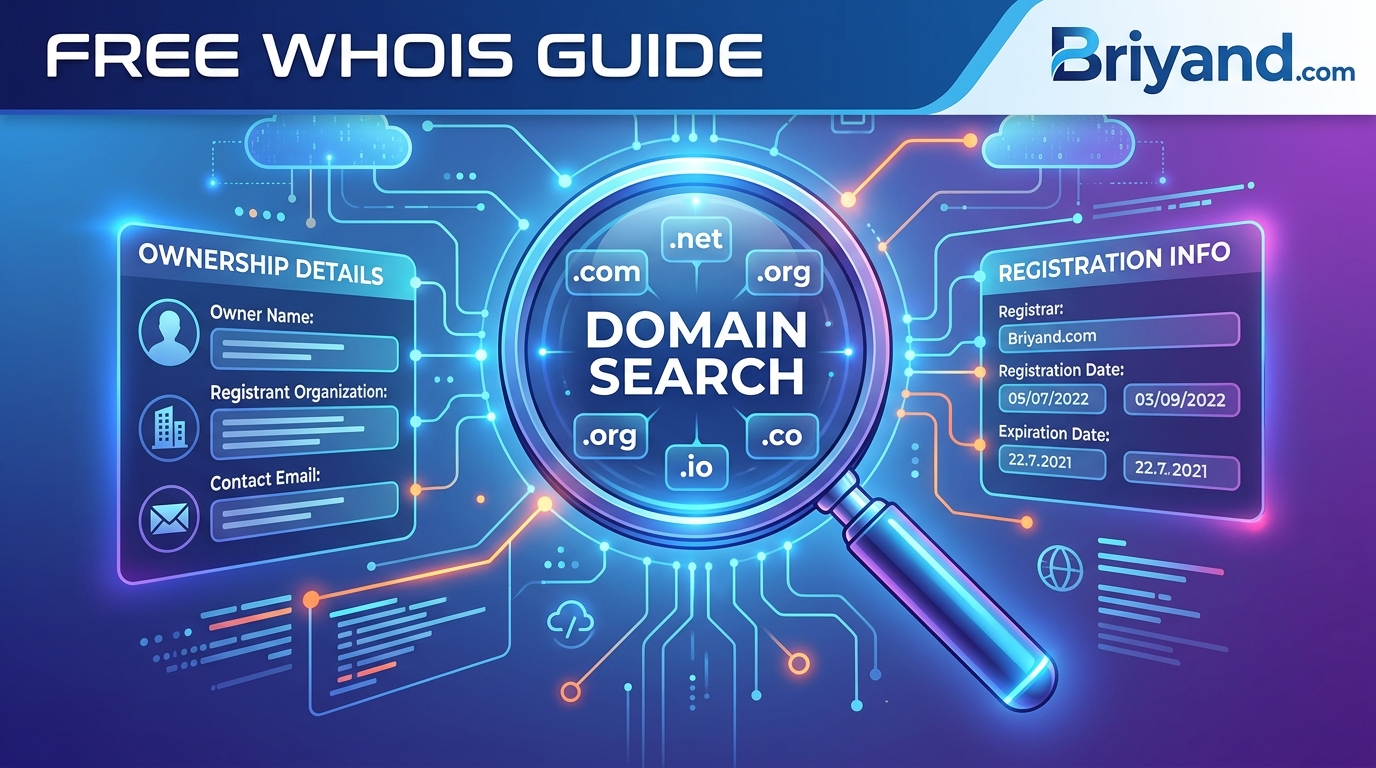
When someone registers a domain name (like example.com), they have to provide contact information to the registrar (the company they bought the domain from). That information — name, email, phone, address, organization — gets stored in a public database called WHOIS.
Think of it like the land registry for the internet. If you buy a house, that transaction becomes public record. Same idea here.
WHOIS data can tell you:
- Who registered the domain
- When they registered it
- When it expires
- Which registrar they used
- The nameservers the domain is pointing to
- Technical and administrative contact info
Now here's where it gets complicated: not all WHOIS records are created equal. Some are crystal clear and give you a name, phone number, and physical address. Others are completely hidden behind a privacy shield. We'll talk about both.
Why Would You Even Need This?
You'd be surprised how many legitimate situations come up where you need to track down a domain owner. It's not just for suspicious circumstances. Here are some real scenarios I've personally encountered or heard about:
Buying a domain that's already taken. You have the perfect business name, but someone already registered the .com. Maybe it's parked, maybe it's expired but not released yet. You want to reach out and make an offer.
Checking if a competitor is behind a suspicious website. I once found a negative review site about a client's business. Ran a WHOIS lookup — turns out it was registered by someone who had recently lost a contract dispute with them. That information was useful.
Verifying a business before you work with them. If a company reaches out to you for a deal and their website was registered two weeks ago, that's a red flag worth knowing about.
Protecting your brand. Someone registers a domain with your business name plus a negative word (like "YourBrandNameScam.com"). Before you send a cease-and-desist, you need contact info.
Checking if your own domain details are exposed. A lot of people forget to use domain privacy protection, meaning their home address is publicly searchable. I'll show you how to check that too.
Investigating phishing or scam sites. If you get a suspicious email with a sketchy link, looking up who owns that domain can tell you a lot before you (or anyone else) clicks it.
The Free Tools That Actually Work
Let me walk you through the tools I actually use — starting with the ones I reach for first.
1. ICANN Lookup (lookup.icann.org)
This is the most official one. ICANN is the organization that oversees domain names globally, and their lookup tool pulls directly from the authoritative WHOIS database.
Go to lookup.icann.org, type in the domain, and hit "Lookup." What you'll get is a structured breakdown of the registration data.
The information is accurate, but the formatting can feel a bit clinical. It's my go-to when I want to see nameservers and registrar details more than contact info.
2. Whois.domaintools.com
DomainTools is probably the most popular third-party WHOIS tool, and honestly, it's the one I use most. The free version gives you everything you need for basic lookups — registration date, expiry date, registrar, and whatever contact details are publicly available.
What I like about DomainTools is that it also shows you domain history. You can see if a domain has changed ownership over the years, how often it's been renewed, and even get a rough idea of website traffic. For the serious stuff, they have a paid tier, but you won't need it for basic searches.
3. who.is
Clean, fast, and simple. Just go to who.is and type in your domain. It pulls WHOIS data and also shows you DNS records, IP information, and even a website screenshot preview. I like this one when I want everything on one screen without clicking around.
4. Whois.net
Another reliable free tool. Sometimes when one tool shows limited data because of how a registrar formats records, another one formats it more readably. If DomainTools gives me a confusing result, I'll cross-check on Whois.net.
5. Your Terminal (for the nerdy version)
If you're on a Mac or Linux machine, you can run WHOIS queries directly from the command line. Open your terminal and type:
whois example.com
Replace example.com with whatever domain you're looking up. The output is raw and unformatted, but it's fast, and it's pulling straight from the WHOIS servers without any middleman. Windows users can do this too after installing a WHOIS tool or using PowerShell.
Step-by-Step: How to Do a WHOIS Lookup
Let me walk you through a real example using DomainTools — my most-used option.
Step 1: Go to whois.domaintools.com
You don't need to create an account for basic lookups. Just land on the homepage.
Step 2: Type the domain name in the search bar
Enter just the domain — like example.com — without http:// or www. Hit Enter or click Search.
Step 3: Read the Registration Data section
This is where the good stuff is. Here's what each field means:
- Registrant Name — The person or organization that owns the domain. If it says "Domains By Proxy" or "WhoisGuard" or something similar, that means privacy protection is enabled (more on this below).
- Registrant Email — The email address on file. If it shows a masked address like abc123@domainsbyproxy.com, that's a forwarding address, not the real one.
- Created Date — When was this domain first registered? A brand-new domain for a "company that's been around since 2010" is a red flag.
- Updated Date — When was the record last changed? This could indicate a recent ownership transfer.
- Expiry Date — When does the registration expire? If it's soon and there's no renewal, the domain might be available to buy.
- Registrar — Which company the owner used to register it (GoDaddy, Namecheap, Google Domains, etc.)
- Name Servers — Where the domain's DNS is hosted. This can sometimes tell you what hosting provider or platform they use.
Step 4: Look at the DNS Records
Scroll down and you'll often see the DNS records — A records (pointing to an IP), MX records (mail servers), CNAME records, etc. If you're investigating a domain for legitimacy, the IP address can sometimes help you identify the hosting provider.
Step 5: Note anything unusual
Compare what the WHOIS record says to what the website claims. If a website says it's a US-based company but the registrant address is in a completely different country, that's worth noting.
The Privacy Shield Problem — And How to Work Around It
Here's the thing that frustrated me the most when I was first learning this: a lot of WHOIS records are completely hidden.
Since GDPR came into effect in 2018 (the European privacy regulation that affected pretty much the whole internet), most registrars now offer — and often auto-enable — domain privacy protection. Services like WhoisGuard (Namecheap), Domains By Proxy (GoDaddy), and Privacy Protect replace the registrant's actual contact details with generic proxy information.
So instead of seeing:
Registrant Name: John Smith
Registrant Email: john@johnsbusiness.com
Registrant Address: 123 Main St, Chicago, IL
You see:
Registrant Name: Registration Private
Registrant Email: abc123@domainsbyproxy.com
Registrant Organization: Domains By Proxy, LLC
Frustrating, right?
But you're not completely out of options.
Option 1: Use the Proxy's Contact Form
Most domain privacy services have a "contact the domain owner" form. When you email the proxy address (like that abc123@domainsbyproxy.com), the proxy service forwards your message to the real owner. They can choose to respond or not.
I've used this more than once to reach out about buying a domain. Response rate isn't great — maybe 30–40% in my experience — but it works.
Option 2: Check the Website Itself
If the domain actually has a working website, look for contact information there. Check the footer, the About page, the Privacy Policy, and the Terms of Service. Privacy policies especially often contain the company's real legal name and contact information, even when WHOIS is hidden.
Option 3: Look at Social Media and Business Listings
Search Google for the domain name. See if the website shows up with a business listing on Google Maps, Yelp, or LinkedIn. Sometimes the operator didn't bother hiding their association with the domain in other places even if they hid it in WHOIS.
Option 4: Check Historical WHOIS Records
Before GDPR, many domains had full contact details exposed. DomainTools and Archive.org's Wayback Machine sometimes retain older WHOIS snapshots. It's not guaranteed, but if the domain is older, you might find historical records that show real contact info.
Option 5: Look Up the IP Address Owner
Even if the WHOIS record is hidden, you can look up the IP address the domain resolves to. Tools like ipinfo.io or whois.arin.net can tell you who owns that IP block. It won't always identify the individual, but it might confirm the hosting company or, if it's a dedicated IP, sometimes the organization behind it.
Reading WHOIS Data Like a Pro: What to Look For
After doing dozens of these lookups over the years, I've picked up some patterns. Here's what I pay attention to:
Registration age matters a lot. A legitimate, long-running business usually has a domain that's 5–10+ years old with consistent renewal history. A scam site or phishing domain is often less than a year old — sometimes less than a month.
Does the expiry date feel weird? Serious domain owners often register for multiple years at a time. A domain that keeps getting renewed one year at a time, barely before expiry, might suggest the owner isn't particularly invested or the site could disappear any time.
Registrar reputation. Most major registrars (Namecheap, GoDaddy, Cloudflare, Google) are fine. But there are some registrars that are notoriously associated with spam or fraudulent activity. If you see a registrar you've never heard of, that's worth a quick Google search.
Geographic mismatch. If a website claims to be based in New York but the WHOIS record (when it's not hidden) shows registration from a country with which the business has no apparent connection, be curious about why.
Name server patterns. Legitimate business websites usually use well-known name servers — Cloudflare, AWS Route 53, their hosting provider's DNS, etc. Unusual or rotating name servers can sometimes indicate suspicious activity.
Common Mistakes People Make
I've made some of these myself.
Assuming WHOIS data is always accurate. People have to provide information when they register a domain, but there's not always rigorous verification. Someone can put a fake name and fake address. The data is self-reported. Take it as a starting point, not gospel.
Forgetting to check the full record. Don't just look at the registrant name and stop. The technical contacts, admin contacts, and name servers can sometimes have different information that reveals more.
Not cross-referencing with other sources. WHOIS is one tool. Use it alongside a Google search of the domain, a quick look at the Wayback Machine (web.archive.org), and a basic check of the site's SSL certificate. SSL certificates sometimes show the organization name.
Trying to use WHOIS data for harassment or stalking. I want to be straightforward about this: WHOIS data is for legitimate investigative purposes. Using it to harass someone, get their home address, or anything sketchy is not only unethical but potentially illegal in many jurisdictions. The reason privacy protection even exists is because people were abusing public WHOIS data.
Giving up when you see a privacy shield. As I mentioned above, there are still ways to make progress even when the record is hidden. Don't stop at the first obstacle.
SSL Certificates as a Bonus Research Tool
Here's something most people don't think about: SSL certificates (the padlock you see in your browser's address bar) can sometimes reveal the organization behind a domain.
When websites get "Organization Validated" (OV) or "Extended Validation" (EV) SSL certificates — the more rigorous kind that companies and financial institutions often use — the organization name gets embedded in the certificate itself.
To check this in Chrome: Click the padlock icon → "Connection is secure" → "Certificate is valid" → look for the Subject field. If it shows an organization name, you've got more information than WHOIS alone would give you.
EV certs are rarer now because browser vendors stopped giving them special treatment, but OV certs still carry the company name. It's worth a look.
What to Do Once You Find the Owner
Okay, so you've done your lookup and you have some information. Now what?
If you want to buy the domain: Draft a short, professional email. Don't lead with how much you love the domain or how perfect it is for you — that drives up the price. Keep it casual. Something like: "Hi, I noticed your domain [example.com] and I'm interested in potentially acquiring it. Are you open to a conversation about selling?" Start lower than you're willing to pay and leave room to negotiate.
If you're filing a complaint about spam or abuse: Most domain registrars have abuse reporting forms. You can find the right contact by looking at the registrar listed in the WHOIS data and searching for "[Registrar name] abuse report." ICANN also has a page for reporting registrar policy violations.
If you're dealing with a legal matter: Talk to an attorney before contacting the domain owner. If this is a trademark issue or you need to file a UDRP (Uniform Domain-Name Dispute-Resolution Policy) complaint to recover a domain, get professional help. The WHOIS data you've gathered will be useful evidence.
If you found out your own domain details are exposed: Log into your domain registrar account and enable domain privacy (also called WHOIS privacy or identity protection). Most registrars offer it free or for a few dollars a year. It replaces your personal info with proxy information immediately.
A Few Tools Worth Bookmarking
Here's my quick-reference list of everything mentioned:
- lookup.icann.org — Official ICANN WHOIS lookup
- whois.domaintools.com — Best all-around free tool with history features
- who.is — Clean, fast, shows DNS records too
- whois.net — Good backup when others give you confusing output
- web.archive.org — Check the Wayback Machine for old snapshots and historical WHOIS
- ipinfo.io — Look up IP address ownership when domain info is hidden
- whois.arin.net — North American IP address registry lookups
- Terminal (Mac/Linux): whois domainname.com — No-frills, direct lookup
The Reality of Domain Ownership Research
WHOIS lookups are powerful, but they're not magic. You won't always find what you're looking for. Privacy protection is widespread now, contact information is often outdated or generic, and some domain owners genuinely don't want to be found.
That said, even an incomplete WHOIS record tells you something. The registration date, the registrar, the name servers, the expiry date — all of that context adds up. I've started investigations where the WHOIS record looked totally blank, and by combining it with SSL certificate data, social media searching, and archived pages, I ended up with a pretty clear picture.
The skill isn't just running a single lookup. It's knowing how to layer multiple data sources and read the patterns.
And honestly, once you do this a few times, it becomes second nature. Now whenever I'm evaluating a website — whether it's a potential vendor, a competitor, or a domain I want to buy — I run a quick WHOIS check as automatically as I'd check their social media or Google reviews. It takes about 30 seconds and it's one of those habits that has quietly saved me a lot of headaches.
If you haven't bookmarked a WHOIS tool yet, do it now. You'll want it the next time someone sends you a sketchy link or a "great business opportunity" from a domain registered last Tuesday.
Have questions about a specific WHOIS lookup scenario? Drop them in the comments below — happy to help you work through it.
Contact
Missing something?
Feel free to request missing tools or give some feedback using our contact form.
Contact Us