11
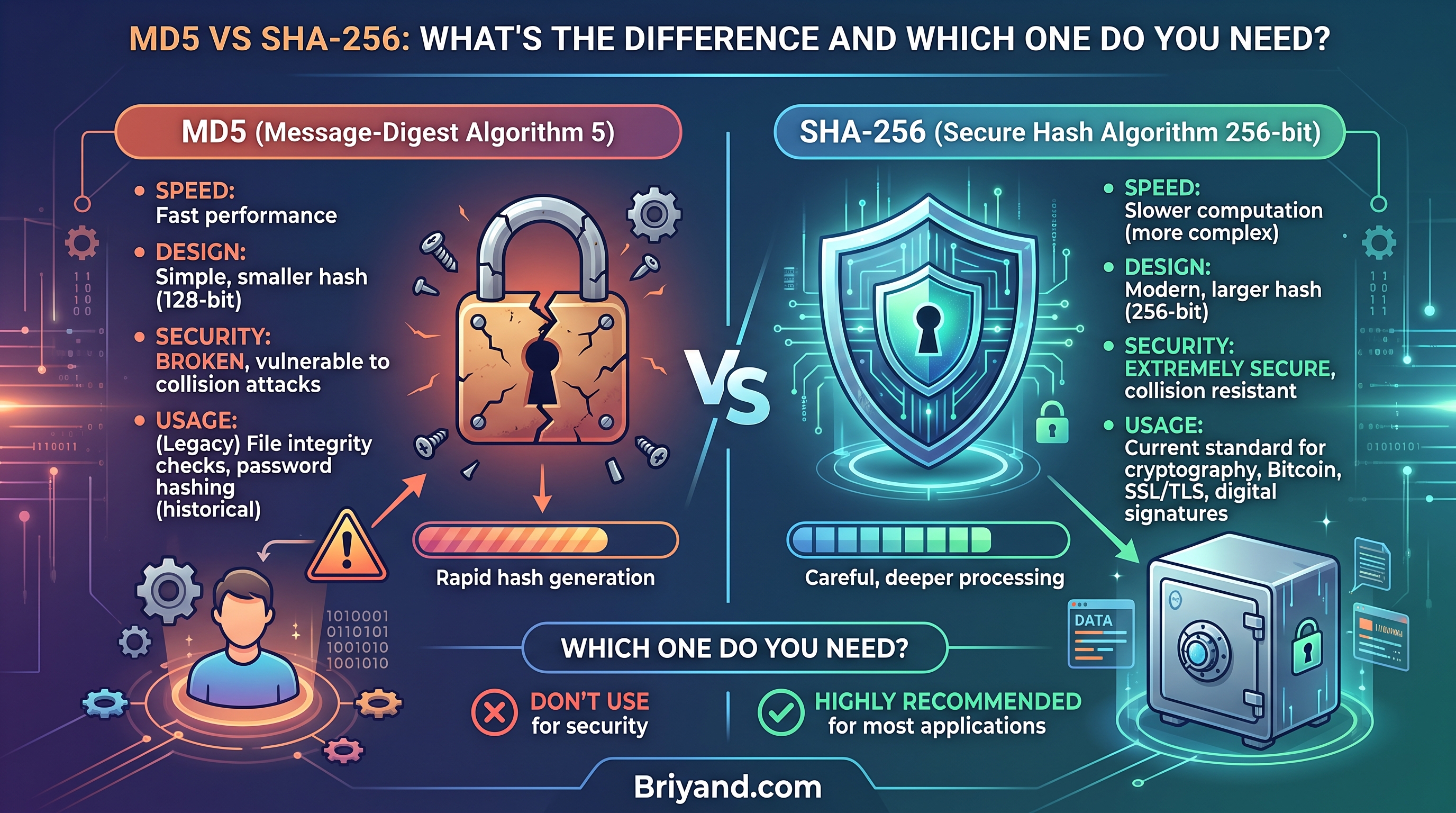
MD5 vs SHA256: What's the Difference and Which One Do You Need?
Still using MD5 for file verification or password storage? Here's why that could be a serious mistake — and when SHA256 is the right call instead. A practical, no-fluff breakdown.
MD5 vs SHA256: What's the Difference and Which One Do You Need?
By a developer who learned this the hard way — twice.
That One Time a "Verified" Download Wasn't Actually Safe
A few years back, I was setting up a fresh Linux server for a client. Downloaded the Ubuntu ISO, flashed it to a USB, and started the installation. Everything seemed fine until about 80% through the setup — boom, corrupted package error. Then another. Then the whole thing crashed.
Wasted almost two hours before someone in a forum pointed out the obvious: "Did you verify the MD5 checksum?"
I hadn't. Turns out my download had silently corrupted midway through — maybe a bad internet blip, maybe a flaky router. Either way, I had been installing a broken operating system from a broken file, and MD5 could have caught that immediately.
That was my proper introduction to hashing algorithms — not from a textbook, but from a frustrating afternoon with a bricked USB and a confused client.
Since then, I've worked with both MD5 and SHA256 across a bunch of different projects — from verifying file downloads to storing passwords in databases, from checking API integrity to auditing legacy codebases. And if you're confused about which one to use or what the actual difference is, let me break it down the way I wish someone had explained it to me back then.
First, Let's Talk About What These Things Actually Do
Before diving into the differences, you need to understand what a hashing algorithm actually is — and no, it's not encryption. That's the first mistake most people make.
A hash function takes any input — a file, a password, a message, literally anything — and spits out a fixed-length string of characters. That output is called a hash or a digest.
The key things to know:
- It's one-way. You can't reverse a hash to get the original input back (in theory).
- The same input always gives the same output. Run the same file through MD5 a thousand times, you'll get the same hash every time.
- Even tiny changes produce wildly different output. Change one character in a document, and the resulting hash looks completely different. This is called the avalanche effect.
- It's not encryption. Encryption is two-way. You encrypt to protect, then decrypt to read. Hashing is a fingerprint — it doesn't hide the data, it identifies it.
Now, MD5 and SHA256 are both hashing algorithms. They do the same general job. The differences are in how they do it, how secure they are, and what they're appropriate for.
MD5: The Old Reliable (That's No Longer Reliable)
MD5 stands for Message Digest 5. It was designed in 1991 by cryptographer Ron Rivest, and for years it was the go-to standard for verifying file integrity.
An MD5 hash looks like this:
5d41402abc4b2a76b9719d911017c592
Always 32 hexadecimal characters. Doesn't matter if your input is one letter or a 50GB video file — the output is always 32 characters.
What MD5 was great for
Back in the day, MD5 was everywhere:
- Verifying file downloads (ISOs, software packages)
- Checking database backup integrity
- Storing passwords (yes, this used to be common — more on why it's bad later)
- Digital signatures in older systems
- Comparing duplicate files
And honestly? For pure file integrity checking on non-adversarial environments, MD5 still works fine. If you're just checking that a 4GB video file downloaded correctly without corruption, MD5 gets the job done and it's fast.
Where MD5 falls apart completely
Here's the thing that killed MD5's reputation for security: collision attacks.
A collision is when two different inputs produce the same hash output. In a perfect hash function, this should be virtually impossible. In MD5, researchers started finding collisions in 2004, and by 2008, security researchers created a rogue CA certificate using MD5 collisions.
In plain English: an attacker could potentially create a malicious file that has the exact same MD5 hash as a legitimate file. You download what looks like the official software, verify the MD5, it matches — and you've just installed malware.
That's not a theoretical risk anymore. There are tools freely available that can generate MD5 collisions. MD5 is cryptographically broken for any security purpose.
MD5 speed
MD5 is genuinely fast. On a modern CPU, you can compute MD5 hashes at several GB/second. That speed is great for non-security purposes — checking thousands of files for duplicates, for instance. But as you'll see, that speed becomes a liability in some situations.
SHA256: The Modern Standard That Actually Holds Up
SHA256 is part of the SHA-2 family, designed by the NSA and published by NIST in 2001. The "256" refers to the output size: 256 bits, or 64 hexadecimal characters.
A SHA256 hash looks like this:
2cf24dba5fb0a30e26e83b2ac5b9e29e1b161e5c1fa7425e73043362938b9824
Longer, more complex, and far more secure.
Why SHA256 is actually secure (for now)
No one has found a practical collision attack against SHA256. The mathematical structure is significantly more complex than MD5's, and the output space is so astronomically large (2^256 possible combinations) that brute force is out of the question with any foreseeable computing power.
To put it in perspective: there are roughly 2^80 atoms in the observable universe. SHA256's output space is 2^256. The number of possible hashes is incomprehensibly large.
That doesn't mean SHA256 is unbreakable forever — it just means it's currently the right tool for security-sensitive work.
Where SHA256 shines
- Password storage (with proper salting — more on this below)
- Digital certificates and SSL/TLS — your HTTPS connections depend on SHA256
- Blockchain — Bitcoin uses SHA256 for its proof-of-work system
- Code signing — verifying software packages on macOS, Windows, Linux package managers
- HMAC authentication — verifying API request integrity
- Git — every commit hash in Git is SHA256 (switched from SHA1 in recent versions)
Side-by-Side: What Actually Matters
Let me cut through the noise and give you the practical comparison:
Feature MD5 SHA256
| Output length | 128 bits (32 hex chars) | 256 bits (64 hex chars)
| Speed | Very fast | Fast (but slower than MD5)
| Collision resistance | Broken | Strong (no known practical attacks)
| Security for passwords | Never use | Yes (with bcrypt/Argon2 preferred)
| File integrity checking | OK for non-adversarial use | Strongly preferred
| Digital signatures | Deprecated/dangerous | Standard
| SSL/TLS certificates | Banned | Required
| Storage size | Smaller | Slightly larger
| Year designed | 1991 | 2001
The honest summary: if security matters even a little, use SHA256. If you're just checking that a file copied correctly on your own private network and no attacker could possibly interfere, MD5 is technically fine but there's no strong reason not to use SHA256 anyway.
Real-World Scenarios: Which One to Pick
Scenario 1: Verifying a downloaded file
You're downloading a large software package from the internet. The website provides a checksum.
What to use: SHA256
If the website only gives MD5, that's not ideal — it means an attacker who compromised the CDN could potentially serve you a malicious file with a matching MD5. Reputable software projects (Python, Ubuntu, etc.) now provide SHA256 checksums.
How to verify on different systems:
macOS/Linux:
# For SHA256
shasum -a 256 downloaded-file.iso

# For MD5
md5sum downloaded-file.iso
# or on macOS:
md5 downloaded-file.iso
Windows (PowerShell):
Get-FileHash downloaded-file.iso -Algorithm SHA256
Get-FileHash downloaded-file.iso -Algorithm MD5
Compare the output to the checksum on the official website. If they match, you're good. If they don't, delete the file and re-download.
Scenario 2: Storing passwords in a database
This is where I've seen the most dangerous mistakes in legacy codebases.
What NOT to do:
import hashlib
# This is WRONG and dangerous
hashed_password = hashlib.md5(password.encode()).hexdigest()
MD5 for passwords is genuinely terrible for two reasons:
- It's broken cryptographically (collisions)
- It's too fast — attackers can try billions of guesses per second using GPU-accelerated rainbow table attacks
Also wrong:
# Still wrong, even though SHA256 is more secure
hashed_password = hashlib.sha256(password.encode()).hexdigest()
Wait — even SHA256 alone is bad for passwords? Yes. Because SHA256 is fast by design, and fast hashing = easy to brute-force.
What you should actually do:
Use a purpose-built password hashing library that's intentionally slow:
- bcrypt — the classic choice, still widely used
- Argon2 — currently the gold standard, won the Password Hashing Competition in 2015
- scrypt — memory-hard, good alternative
import bcrypt

# Hashing
hashed = bcrypt.hashpw(password.encode('utf-8'), bcrypt.gensalt())

# Verifying
bcrypt.checkpw(password.encode('utf-8'), hashed)
The reason these are better: they're designed to be computationally expensive and tunable. As hardware gets faster, you increase the cost factor. Attackers with GPU clusters can compute billions of SHA256 hashes per second — they can only do thousands of bcrypt hashes per second.
Scenario 3: Checking duplicate files on your own machine
You've got a massive photo library and want to find duplicates. You don't care about security — you just want to know if two files are identical.
What to use: Either, but MD5 is fine here
Tools like fdupes, rdfind, or even a simple script comparing MD5 hashes work perfectly. No attacker is going to plant a collision attack in your vacation photo folder.
That said, if you're building a modern tool, just use SHA256 anyway. The performance difference is negligible for most use cases, and you avoid any future questions about why you're using a broken algorithm.
Scenario 4: API request signing (HMACs)
You're building an API and want to verify that requests haven't been tampered with in transit. You're using HMAC (Hash-based Message Authentication Code).
What to use: SHA256
HMAC-SHA256 is the industry standard for this. AWS Signature Version 4, Stripe webhook verification, GitHub webhook validation — they all use HMAC-SHA256.
import hmac
import hashlib

secret_key = b'your-secret-key'
message = b'the-request-body'

signature = hmac.new(secret_key, message, hashlib.sha256).hexdigest()
HMAC-MD5 exists but you'll rarely see it in modern systems, and you shouldn't be building new ones with it.
Scenario 5: Git and version control
If you've used Git, you've used SHA-based hashing without probably thinking about it. Every commit has a unique hash — originally SHA1, now being migrated to SHA256 in newer Git versions.
git log --oneline
# a3f9c12 Add login feature
# e7b2d81 Fix null pointer exception
Those 7-character strings are the beginning of a 40-character SHA1 hash (or 64-character SHA256 in newer Git). They uniquely identify each commit.
Common Mistakes I've Seen (and Made)
Mistake 1: Treating MD5 as "good enough for security"
I've audited old PHP codebases where passwords were stored as plain MD5 hashes with no salt. This is actively dangerous. If you're maintaining legacy code that does this, migrating to bcrypt should be a priority, not a backlog item.
Mistake 2: Forgetting to salt
Even SHA256, when used directly for passwords, is vulnerable to rainbow table attacks — precomputed tables of hash values for common passwords.
"password" → 5e884898da28047151d0e56f8dc6292773603d0d6aabbdd62a11ef721d1542d8
There are lookup tables with this hash already in them. An attacker doesn't need to compute anything — they look it up.
A salt is a random string added to each password before hashing, making rainbow tables useless. This is why bcrypt and Argon2 handle this for you automatically.
Mistake 3: Using MD5 for TLS/SSL certificates
If you're setting up your own certificate infrastructure (internal PKI), make sure you're not generating SHA1 or MD5 signed certificates. Modern browsers will reject them outright. Use SHA256 as a minimum.
Mistake 4: Thinking hash = encryption
Seen this in job interviews too. Hashing is one-way. Encryption is two-way. If someone says "we encrypt passwords using MD5," that's a red flag about their security knowledge. Passwords should be hashed (ideally with bcrypt/Argon2), not encrypted.
Mistake 5: Verifying only part of a hash
When checking hashes manually, some people eyeball just the first and last few characters. Don't. Verify the entire hash character by character, or better yet, let a tool do it automatically.
Tools That Make This Easy
You don't need to remember terminal commands for everything. Here are some tools I actually use:
QuickHash GUI — Cross-platform GUI tool for hashing files. Drag and drop a file, select MD5 or SHA256, done. Great for non-technical users.
CertUtil (Windows, built-in):
certutil -hashfile filename.iso SHA256
HashCheck Shell Extension (Windows) — Right-click any file to see its hash. Incredibly handy for quick verifications.
OpenSSL (available everywhere):
openssl dgst -sha256 filename.iso
openssl dgst -md5 filename.iso
Python (if you're scripting):
import hashlib

def get_sha256(filepath):
    sha256 = hashlib.sha256()
    with open(filepath, 'rb') as f:
        for chunk in iter(lambda: f.read(8192), b''):
            sha256.update(chunk)
    return sha256.hexdigest()

print(get_sha256('myfile.iso'))
Note: the chunked reading approach is important for large files — don't try to load a 10GB file into memory all at once.
What About SHA1, SHA384, and SHA512?
Since we're here, quickly:
SHA1 — Designed in 1995, now deprecated for security purposes. Google demonstrated a SHA1 collision in 2017 (the SHAttered attack). Still used in some legacy systems but being phased out. Don't use it for new projects.
SHA384 / SHA512 — Also part of the SHA-2 family, just with larger output sizes. SHA512 is actually faster than SHA256 on 64-bit systems due to how the math works. Use these if you need even higher security margins, but SHA256 is sufficient for most applications.
SHA-3 — A completely different algorithm family, standardized in 2015. Not widely deployed yet but considered the future-proof choice. Worth watching.
For 99% of use cases, SHA256 hits the sweet spot.
The Performance Question (When It Actually Matters)
"But MD5 is faster — doesn't that matter?"
Honestly, for most developer work, no.
SHA256 is maybe 2-3x slower than MD5. On a modern CPU, that's still absurdly fast. You're talking about the difference between hashing 1GB in 0.3 seconds vs 0.7 seconds.
The only scenarios where MD5's speed matters:
- Hashing millions of files per hour in an automated pipeline
- Real-time stream processing with extremely tight latency budgets
- Environments with very constrained hardware
In those specific cases, benchmarking your actual use case makes sense. But for typical web apps, APIs, file verification, and developer tools — SHA256 all day.
Quick Decision Chart
Let me make this simple. When someone asks me "which should I use?", here's my mental model:
Use MD5 if:
- You're checking file integrity in a fully trusted, offline environment
- You're finding duplicate files on your own machine
- You need to interface with old systems that only support MD5
- Raw speed is genuinely critical and security is irrelevant
Use SHA256 if:
- Anything you're hashing has any security implications
- You're verifying downloaded files from the internet
- You're building any kind of authentication system
- You're signing code or documents
- You're building an API
- You're doing anything in a production environment
- You're building something new (just always do this)
Use bcrypt/Argon2 if:
- You're hashing passwords. Full stop. Not MD5, not SHA256. bcrypt or Argon2.
One Last Thing Worth Knowing
MD5 isn't going away. You'll encounter it constantly — in old codebases, in legacy documentation, in older download pages, in database schemas inherited from 2008. Knowing what it is, what it was designed for, and why it's no longer appropriate for security work is genuinely useful.
And I still use it occasionally — just last month I wrote a quick script to identify duplicate cache files, and MD5 was perfect for that. Fast, simple, and absolutely no security concern.
The key insight isn't "MD5 is bad and SHA256 is good." The key insight is understanding why each one exists, what they're actually doing, and matching the right tool to the right job.
The afternoon I wasted with that broken Ubuntu install is now zero Ubuntu installs wasted. I always run shasum -a 256 before I ever mount an ISO. Takes three seconds and has saved me multiple times since.
That's really all cryptographic hygiene is — small habits that prevent big headaches.
If this was helpful, the most useful thing you can do is go check whatever project you're working on right now. Look at how passwords are stored. Look at what checksum algorithm your download verification script uses. Look at your API request signing. The fixes are usually small — the consequences of not fixing them can be much bigger.
Contact
Missing something?
Feel free to request missing tools or give some feedback using our contact form.
Contact Us